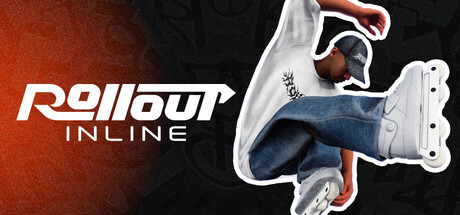
Rollout Inline
Rollout Inline is a brand new inline skating game created by a solo dev who is passionate about the sport. This game aims to scratch the itch for those who have been craving a new, modern, and intuitive inline skating game!
Release DateSep 15, 2026
PlatformsWindows
DeveloperMLMEDIA
📖 Wiki Guides
Quick Start Guide
Getting Started in Three Steps
- First, check the official information summary: Confirm the release status, available platforms, and pricing to avoid buying the wrong version.
- Compare system requirements: Use the minimum / recommended specifications to confirm whether your device can run it smoothly.
- Familiarize yourself with the basic loop: Go through the tutorials and core operations first, then consider deeper gameplay.
You need to figure out first
| Item | Content |
|---|---|
| Genre Tags | Indie, Simulation, Sports, Early Access |
| Supported Platforms | Windows |
| Controller Support | Full controller support (Steam marks as full) |
| Official Languages | English |
| Store Pricing | $18.99 |
| Difficulty | Low |
| Session Length | 20-40 minutes |
💻 System Requirements
Windows Minimum
- Requires a 64-bit processor and operating system
- OS: Windows 10+
- Processor: Intel Core i5-6600k or AMD Ryzen 3 3300X
- Memory: 8 GB RAM GB RAM
- Graphics: GeForce GTX 1050 Ti or Radeon RX 460 (4GB)
- DirectX: Version 12
- Storage: 2 GB available space
- Additional Notes: Rollout Inline plays best at high FPS! Make sure to adjust your graphics settings to get at least 60FPS. Connect your controller before launching the game. If you get any controller issues, especially with dualshock or non xbox controllers - checking out your Steam input settings can help resolve issues!
Windows Recommended
- Requires a 64-bit processor and operating system
- OS: Windows 10+
- Memory: 16 GB RAM
- DirectX: Version 12
- Storage: 2 GB available space
- Additional Notes: Rollout Inline plays best at high FPS! Make sure to adjust your graphics settings to get at least 60FPS. Connect your controller before launching the game. If you get any controller issues, especially with dualshock or non xbox controllers - checking out your Steam input settings can help resolve issues! An Xbox controller is recommended for the best experience + force feedback!