
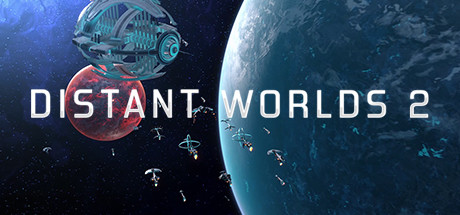
Distant Worlds 2
Distant Worlds 2 is a vast, pausable real-time 4X space strategy game.
Release DateMar 10, 2022
PlatformsWindows
DeveloperCodeForce
📖 Wiki Guides
Quick Start Guide
Getting Started in Three Steps
- First, check the official information summary: Confirm the release status, available platforms, and pricing to avoid buying the wrong version.
- Compare system requirements: Use the minimum / recommended specifications to confirm whether your device can run it smoothly.
- Familiarize yourself with the basic loop: Go through the tutorials and core operations first, then consider deeper gameplay.
You need to figure out first
| Item | Content |
|---|---|
| Genre Tags | Simulation, Strategy |
| Supported Platforms | Windows |
| Controller Support | Keyboard and mouse only |
| Official Languages | English |
| Store Pricing | $14.99 |
| Difficulty | High |
| Session Length | 30-60 minutes |
💻 System Requirements
Windows Minimum
- Requires a 64-bit processor and operating system
- OS: Windows 11 (64-bit only) (The game will run on Windows 7, 8, and Windows 10 (64-bit only) but these operating systems are not officially supported)
- Processor: 4+ Physical Core CPU @ 2.5GHz (e.g. Intel: Core i3-8100, Core i5-750, Core i7-920 / AMD: Athlon 64 FX-8100, Athlon II X4, Phenom X4, Phenom II X4, Ryzen 3 1200, Ryzen 5 1400, Ryzen 7 1700)
- Memory: 8 GB RAM
- Graphics: NVidia GTX 760-equivalent or better, 2+Gb VRAM, DirectX 11 compliant
- DirectX: Version 11
- Storage: 20 GB available space
- Sound Card: DirectX 11 compatible sound card
- Additional Notes: Screen Resolution: 1024x768 minimum but not ideal for best UI experience
Windows Recommended
- Requires a 64-bit processor and operating system
- OS: Windows 11 (64-bit only)
- Processor: 8+ Core CPU @ 3GHz.
- Memory: 16 GB RAM
- Graphics: NVidia GTX 1050-equivalent or better, 4+Gb VRAM, DirectX 11 compliant
- DirectX: Version 11
- Storage: 20 GB available space
- Sound Card: DirectX 11 compatible sound card
- Additional Notes: Screen Resolution: 1920x1080+ for best UI experience; Mouse: Recommend using a mouse with a scroll wheel