
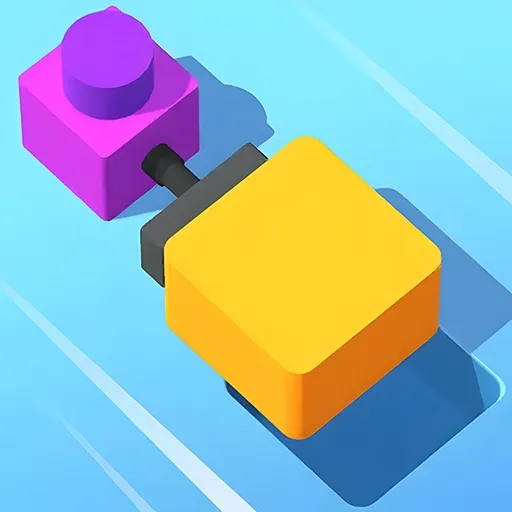
Push The Block
Push The Block is a relaxing and highly satisfying casual puzzle game. Across clever levels, you trigger buttons in the correct sequence to activate pistons and push blocks into their designated holes.
At a Glance
- Free browser puzzle — no download, no registration.
- Trigger buttons in sequence to drive pistons and move blocks.
- Chain reactions let one push send multiple blocks home.
- Layouts grow more complex as you progress.
- A calm blend of meditation and brain-teasing fun.
- Portrait-friendly; plays on desktop and mobile.
What Is Push The Block?
Push The Block is a casual puzzle about order. Each level gives you a set of buttons, a set of pistons, and blocks that need to land in specific holes. Your job is to press the right buttons in the right order so the pistons shove every block home. It runs in the browser on standard HTML5 and belongs to the puzzle video game and physics engine family where positioning beats force.
For example, one block resting on a ledge can be pushed to topple a whole stack, so the first move is usually about setup, not about the block you can already see.
The satisfaction comes from the chain reaction. A well-planned sequence sends one block into place, which opens the lane for the next, which clears the path for the one after that — a single clean run that resolves the whole board.
It is deliberately calm. The difficulty climbs through smarter layouts rather than time pressure, so you can sit with a level, plan, and enjoy the moment everything clicks.
How to Play Push The Block
Look at the board before pressing anything. Identify which block is closest to its hole and which piston moves it, then work backward to see what must happen first.
Press buttons one at a time and watch the consequence. If a piston pushes a block into a wall instead of a hole, you have learned a constraint — use it to reorder your plan. The win condition is every block in its hole, not speed.
When a layout looks impossible, look for the chain: a block that, once placed, unlocks the lane for another. Planning for the chain is what separates a messy clear from an elegant one.
Push The Block Controls
- Tap / click a button: activate that piston for its push.
- Restart: reset the board to rethink the order.
- Touch: tap works the same on mobile.
Why Players Keep Coming Back to Push The Block
- Clean “aha” moments. The chain reaction is deeply satisfying.
- No time pressure. Plan at your own pace.
- Logical difficulty curve. Layouts get clever without getting stressful.
- Short levels. Easy to play one more, then one more again.
- Portrait-friendly. Comfortable on a phone.
Tips & Strategy for Push The Block
- Work backward. Start from the block nearest its hole and trace what frees it.
- Find the chain. One placed block often unlocks the next lane.
- Press slowly. Watch each piston’s consequence before the next press.
- Restart early. A bad first press is cheaper to undo than a tangled board.
- Ignore the clock. The puzzle rewards planning, not speed.
- Map pistons to blocks. Knowing the pairing is half the solution.
From Your First Block to a Clean Board in Push The Block
Your first levels are about learning that pistons are predictable. Once you see a piston always pushes the same way, the game becomes a sequencing puzzle you can reason about.
As layouts grow, stop pressing and start mapping. Pair each button with the block it affects, find the one that opens the chain, and build your order around it.
Players who clear the hard boards are not faster — they are the ones who planned the whole sequence before touching a button.
Habits That Cost You in Push The Block
- Mashing buttons. Random presses tangle the board instead of solving it.
- Ignoring the chain. Missing the block that unlocks the next lane.
- Rushing. The puzzle rewards planning, not speed.
- Forgetting to restart. A bad early press is cheaper to undo early.
- Treating it as physics. It is really a logic order; map pistons first.
Push The Block FAQ
Is Push The Block free to play?
Yes. It runs free in your browser on PlayFox, with no registration and nothing to install.
Is there a time limit?
No. The game is built for relaxed planning at your own pace.
Why won’t my block go in the hole?
A piston is likely pushing it the wrong way or into a wall. Reorder your button presses.
Does it get harder?
Yes, through more complex layouts — but the calm, no-pressure feel stays.
Can I play on mobile?
Yes. Tap controls and the portrait layout suit touchscreens well.
Press into the player above and line up your first chain reaction. If you like calm logic puzzles, try Candy Crush, Chess or Cookie Clicker next.
Push The Block Not Loading or Running Slowly?
Almost every browser-game problem comes down to focus, cache, or an extension. Work down this list before anything else:
- Click inside the game frame once. Keys and clicks only reach the game after the player has focus.
- Press reload in the toolbar above the game. It restarts only the game frame, so this page keeps its place.
- Close extra tabs and anything streaming video in the background. If the frame still stutters, play in fullscreen.
- Ad and script blockers are a common reason a player never starts. Allow scripts for this page and reload.
- Broken graphics or missing sound usually mean an outdated browser. Update Chrome, Edge, Firefox or Safari and turn hardware acceleration back on.
Nothing on this list installs anything, and none of it takes long. If the game still will not start, hard-refresh the page (Ctrl + F5 on Windows, Cmd + Shift + R on Mac) or open a private window, which rules out cache and extensions in one step. Report a game that stays broken on the contact page — we fix what players send us.
No comments yet. Be the first!