
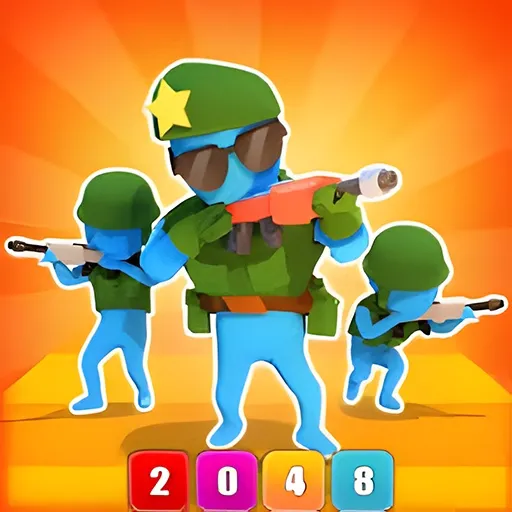
Merge Squad
Merge Squad is a casual game that blends merging, strategy, and action. You merge identical low-level soldiers into stronger high-level units, then send them down a track to fight through enemies.
At a Glance
- Free browser merge-action game — no download, no registration.
- Core loop: merge same-type soldiers to upgrade them.
- Combat style mixes parkour movement with shooting.
- Each scene adds new enemies and mechanisms.
- Difficulty ramps gradually as levels progress.
- Landscape layout; plays on desktop and mobile.
What Is Merge Squad?
Merge Squad combines three familiar ideas into one run. First, a merge phase: you combine identical low-level soldiers into higher-tier units, the way merge games always do. Second, a strategy layer: which units you build shapes what your squad can survive. Third, an action phase: your soldiers run a track, automatically engaging enemies in a parkour-and-shooting style. It runs in the browser on standard HTML5 and draws on strategy video game and real-time strategy ideas about economy and timing.
For example, merging two weak units into one stronger one early often matters more than pushing forward, because the upgraded unit survives the wave that would wipe your starting squad.
Each scene introduces different enemies and mechanisms, so a squad that crushed the last stage may struggle on the next unless you merge toward the right counter. That push-and-pull between building and battling is the whole game.
The difficulty climbs gradually. Early levels let you experiment with merges; later ones demand a deliberate bench plan, because the enemies get tougher in step with your progress.
How to Play Merge Squad
Spend the early moments building, not fighting. Merge pairs of identical soldiers whenever you can, and keep merging upward — two level-2 units into a level-3 beats four level-1s every time.
On the track, your squad moves and attacks on its own, so your job is the prep. Watch which enemy types appear and merge toward units that handle them; if a scene favors ranged pressure, build for that, and if it favors a brawl, build for it.
As levels progress, resist the urge to flood the board with low tiers. A smaller bench of high-tier soldiers consistently outperforms a crowd of weak ones.
Merge Squad Controls
- Drag to merge: combine two identical soldiers into the next tier.
- Move / steer: guide your squad along the track (mouse or touch).
- Auto-attack: soldiers fire on their own once engaged.
- Touch: drag and tap cover the same actions on mobile.
Why Players Keep Coming Back to Merge Squad
- Satisfying merge loop. Watching units combine into something stronger never gets old.
- Build-and-battle depth. Prep matters as much as the fight.
- Varied scenes. New enemies and mechanisms keep runs fresh.
- Gradual ramp. Approachable early, demanding later.
- Quick runs. Easy to start one more.
Tips & Strategy for Merge Squad
- Merge upward aggressively. Two same-tier units into one stronger is always efficient.
- Keep the bench tidy. Fewer high-tier soldiers beat many weak ones.
- Scout the enemies. Merge toward units that counter the scene.
- Don’t flood low tiers. A small strong squad wins more fights.
- Plan before the track. The battle just spends the army you built.
- Adapt per scene. Different mechanisms reward different unit mixes.
From Your First Merge to a Winning Squad in Merge Squad
Your first runs will be messy — merging whatever sits next to whatever. That is fine for learning the tiers. Once you see that two identical units always combine upward, start planning the bench.
As scenes get harder, stop flooding low tiers and build a focused squad of high-tier soldiers tuned to the enemies ahead. The players who win are the ones whose merge bench was solved before the track began.
Treat each scene as a counter-building puzzle: read the enemies, merge toward the answer, then let the squad spend it.
Habits That Cost You in Merge Squad
- Flooding low-tier soldiers. A crowd of weak units loses to a tight strong squad.
- Random merging. Without a bench plan, you stall at mid tiers.
- Ignoring enemy types. Building the wrong mix loses the scene.
- Fighting instead of building. The track just spends the army you made.
- Skipping adaptation. Each scene rewards a different unit mix.
Merge Squad FAQ
Is Merge Squad free to play?
Yes. It runs free in your browser on PlayFox, with no registration and nothing to install.
Do I control the shooting?
Your soldiers attack automatically once engaged; your main job is merging and steering.
What is the best strategy?
Merge identical units upward into a small bench of high-tier soldiers tuned to the scene’s enemies.
Does it get harder?
Yes, gradually — new enemies and mechanisms appear as you progress.
Can I play on mobile?
Yes. Drag-to-merge and tap controls work well on touchscreens.
Build your squad in the player above and charge the track. If you like merge-and-battle action, try Age of War 1, Awesome Tanks 1 or Among Us next.
Merge Squad Not Loading or Running Slowly?
Almost every browser-game problem comes down to focus, cache, or an extension. Work down this list before anything else:
- Click inside the game frame once. Keys and clicks only reach the game after the player has focus.
- Press reload in the toolbar above the game. It restarts only the game frame, so this page keeps its place.
- Close extra tabs and anything streaming video in the background. If the frame still stutters, play in fullscreen.
- Ad and script blockers are a common reason a player never starts. Allow scripts for this page and reload.
- Broken graphics or missing sound usually mean an outdated browser. Update Chrome, Edge, Firefox or Safari and turn hardware acceleration back on.
Nothing on this list installs anything, and none of it takes long. If the game still will not start, hard-refresh the page (Ctrl + F5 on Windows, Cmd + Shift + R on Mac) or open a private window, which rules out cache and extensions in one step. Report a game that stays broken on the contact page — we fix what players send us.
No comments yet. Be the first!